Automated repricing for eBay sellers
eBay Repricing Software to Automate Your Product Pricing
AutoReprice is eBay repricing software for sellers who are tired of checking competitor prices by hand. It monitors the competitors you choose on a schedule and automatically adjusts your listing prices using your pricing rules, always within the minimum and maximum prices you set.
4-day free trial · No credit card required · Cancel anytime
4-day
Free trial, no card needed
5 min
Priority Scan interval
15-60 min
Standard scan intervals
Official
eBay API connection
Why sellers use AutoReprice
Automate Your eBay Pricing and Stay Competitive
An eBay pricing app that handles the repetitive checking for you: track competitors, apply your strategy and keep every price inside the limits you set.
Monitor competitor prices
Track the competitor listings you choose and see how their total prices compare with yours.
Automate price adjustments
When a scan finds your price needs to change, AutoReprice updates your eBay listing for you.
Apply your own strategy
Beat the lowest competitor by 1 cent or by an amount you choose, or match them exactly.
Set minimum and maximum prices
Your price never goes above your maximum. With the default "stay at minimum" setting, it never drops below your minimum.
Review every price change
See the old price, new price, lowest competitor and reason for each change.
Less manual checking
Scans run on the schedule you pick, so you don't have to compare listings by hand.
Want the full breakdown? See every AutoReprice feature
Automated repricing
Automated eBay Repricing for Your Listings
AutoReprice is eBay repricing software that works through your listings on a schedule. On each scan it checks the competitors you track, applies your pricing rule and works out the right price. If your price needs to change, the new price is sent to eBay through eBay's official API, so you never have to edit listings by hand.
As an eBay auto repricer it works in both directions: it can lower your price to beat a cheaper competitor, and raise it again when competitors raise theirs, up to your maximum.
Automated repricing
- Automatic price adjustments based on your rules
- Prices compared on total cost (item price plus shipping)
- Turn repricing on or off for each listing
- Prices change after each scheduled scan, not continuously
Competitor monitoring
Monitor eBay Competitor Prices Automatically
You decide which competitors matter. Add a competitor to any of your listings by entering its eBay item ID, and AutoReprice keeps track of its price, shipping cost and seller from then on.
This eBay competitor price monitoring runs on the schedule you choose, so you can see the current market price for each product and your pricing rule always works from fresh data.
Competitor monitoring
- Add competitors by eBay item ID
- Up to 8 competitors per listing (limits vary by plan)
- Lowest competitor price shown for each listing
- Each competitor's price and shipping checked on every scan
Pricing rules
Create Custom eBay Repricing Rules
Choose how AutoReprice prices against the lowest competitor. Set one default rule for your whole account, or save named rule templates and assign them to selected listings.
Because your rule runs automatically on every scan, you set your strategy once instead of re-pricing listing by listing.
Pricing rules
- Beat by 1 cent: your total price sits $0.01 below the lowest competitor
- Beat by a custom amount: you choose how far below the lowest competitor to go
- Match lowest: your total price matches the lowest competitor exactly
- Decide what happens when a competitor drops below your minimum
Price limits
Set Minimum and Maximum Price Limits
Before you turn on automation, set the lowest and highest price you are willing to accept for each listing. Your maximum is always respected: AutoReprice never raises a price above it.
With the default "stay at minimum" setting, your price never drops below your minimum, even if a competitor goes lower. You can choose a different behaviour in your pricing rules, such as following a competitor below your minimum, so check this setting before you start.
Price limits control where your price can go. They don't guarantee a profit, so set them using your own costs.
Illustration only. When a competitor drops below your minimum, your price holds at the minimum.
Price limits
- A minimum and maximum price for every listing
- Update price limits for several listings at once
- Change your limits at any time
Scan schedule
Scheduled Automatic Repricing, Every 5 to 60 Minutes
Choose how often each listing is checked: every 15, 30 or 60 minutes. For your most competitive products, Priority Scan checks up to 20 listings every 5 minutes.
On each scan, AutoReprice fetches your competitors' current prices, applies your pricing rule and, only if your price needs to change, sends the new price to eBay. AutoReprice only changes prices as part of a scan.
Scan schedule
- Standard scans every 15, 30 or 60 minutes
- Priority Scan: up to 20 listings every 5 minutes
- Up to 4 competitors per priority listing
- The same scan options on every plan
Repricing history
Track Your eBay Repricing Activity
Every automatic price change is recorded in your repricing history, so you can check exactly what AutoReprice did and why.
Your listings also show each product's current price, its lowest competitor, when it was last scanned and the result of that scan.
Repricing history
- Previous and new price for every change
- Lowest competitor price and seller at the time
- Date, time and reason for each change
- Last scan time and status for each listing
Watch AutoReprice in action
A quick walkthrough of the app, from competitor tracking to inventory automation. Want every feature in one place? Explore all eBay repricing software features.
Included in every plan
More Than an eBay Repricing Tool
Alongside repricing, AutoReprice includes tools that take other repetitive work off your plate.
Inventory scheduling
Schedule quantity updates for your listings in advance.
Sold-out auto-restock
Restock an item to the quantity you choose when it sells out.
Daily sales targets
Pause your inventory automatically once the day's sales reach the range you set.
Bulk tracking uploads
Upload tracking numbers for many orders at once from a spreadsheet.
Buyer message templates
Save message templates and send order updates to buyers from the app.
Getting started
How AutoReprice Works
From connecting your store to your first automatic price change in seven steps.
- 01
Connect your eBay account
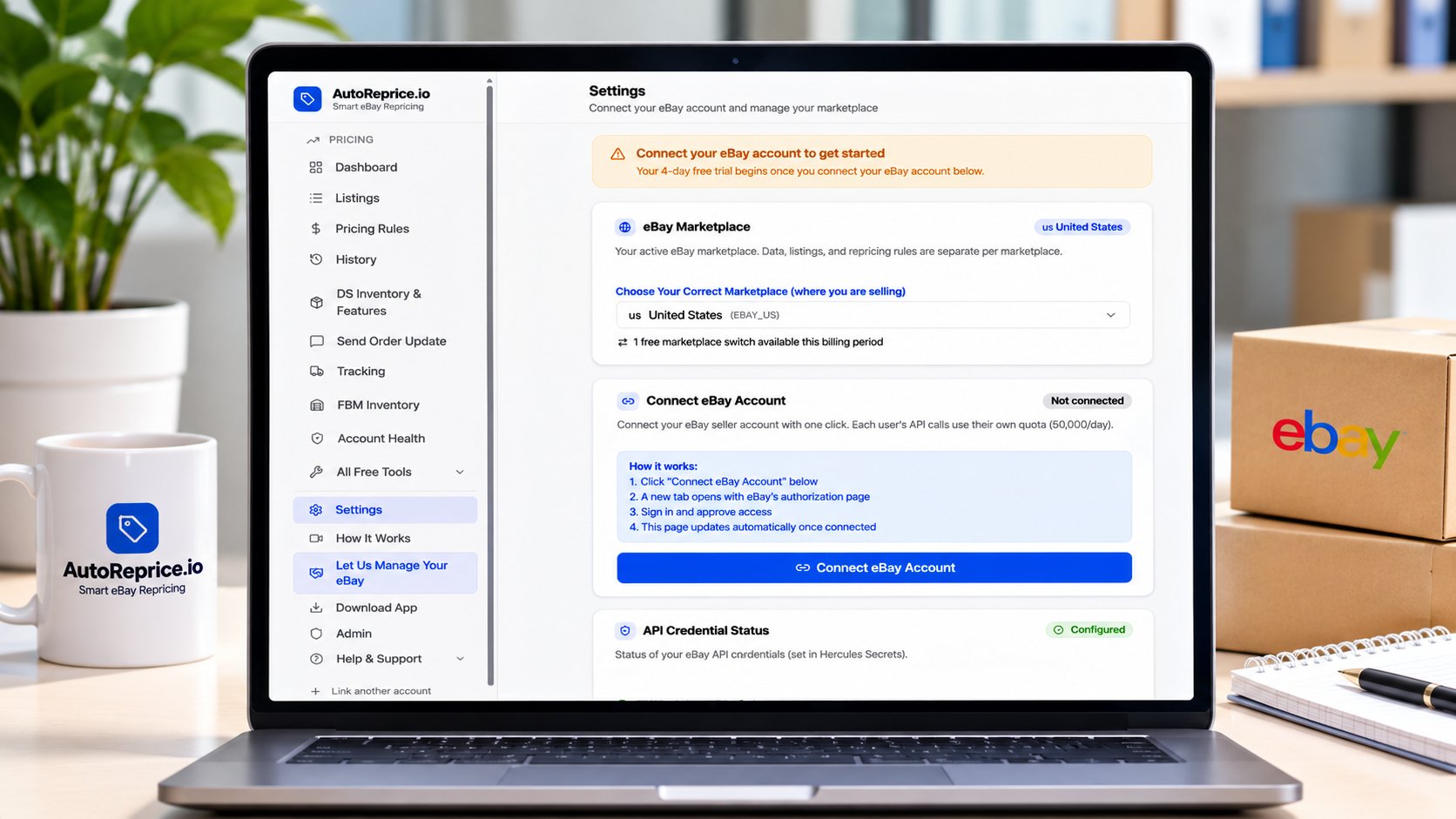
Sign in through eBay's official connection. Your 4-day free trial starts when you connect.
- 02
Import or select your listings
Sync your active eBay listings, or add individual listings by item ID.
- 03
Add competitor listings
Enter the eBay item IDs of the competitors you want to track.
- 04
Choose your repricing strategy
Beat by 1 cent, beat by a custom amount, or match the lowest price.
- 05
Set minimum and maximum prices
Decide the price range each listing should stay within.
- 06
Pick your scan interval
Every 15, 30 or 60 minutes, or every 5 minutes with Priority Scan.
- 07
Review repricing activity
Check price changes and scan results from your dashboard.
Want the full walkthrough, step by step?
See how AutoReprice works
Compare
Manual eBay Repricing vs Automated Repricing
Checking prices by hand works for a few listings. As your store grows, eBay price automation handles the repetitive checking and editing, while you stay in control of the rules.
Manual repricing
- You open each competitor listing to check its price
- You compare prices again and again through the day
- You edit each eBay listing price yourself
- The work grows with every listing you add
Automated with AutoReprice
- Competitors are checked on the interval you choose
- Your pricing rule works out the new price
- Minimum and maximum limits set the boundaries
- Repricing history records every change
Automation saves time; it doesn't guarantee more sales or profit. Read how automated eBay repricing works before you start.
Software pricing
Simple, transparent software pricing
Start with a 4-day free trial. No credit card required.
Starter
Perfect for new sellers getting started
- Up to 100 listings
- 8 competitors per listing
- Scan every 15, 30, or 60 min
- Priority Scan: 20 listings at 5-min interval
- 4 competitors max per priority listing
- Competitor monitoring
- Pricing rule templates
- Inventory scheduling
- Daily sale targets
- Sold-out threshold auto-restock
- Price history
- 4-day free trial
Growth
Most PopularFor serious eBay sellers scaling up
- Up to 150 listings
- 8 competitors per listing
- Scan every 15, 30, or 60 min
- Priority Scan: 20 listings at 5-min interval
- 4 competitors max per priority listing
- Competitor monitoring
- Pricing rule templates
- Inventory scheduling
- Daily sale targets
- Sold-out threshold auto-restock
- Price history
- Priority support
- 4-day free trial
Pro
For high-volume professional sellers
- Up to 200 listings
- 8 competitors per listing
- Scan every 15, 30, or 60 min
- Priority Scan: 20 listings at 5-min interval
- 4 competitors max per priority listing
- Competitor monitoring
- Pricing rule templates
- Inventory scheduling
- Daily sale targets
- Sold-out threshold auto-restock
- Price history
- Priority support
- Bulk import tools
- 4-day free trial
Enterprise
For large-scale operations
- Up to 500 listings
- 5 competitors per listing
- Scan every 15, 30, or 60 min
- Priority Scan: 20 listings at 5-min interval
- 4 competitors max per priority listing
- Competitor monitoring
- Pricing rule templates
- Inventory scheduling
- Daily sale targets
- Sold-out threshold auto-restock
- Price history
- Priority support
- Bulk import tools
- Dedicated account manager
- 4-day free trial
Need the full details for each plan? Compare all plans
Software plans are separate from our 50/50 account management partnership. Learn about account management
Other ways we help eBay sellers
Separate services, not part of the software plans above.
Prefer us to run your store?
Our eBay account management service runs your store day to day on a 50/50 share of agreed net profit.
eBay account managementStarting a UK eBay business?
Our UK Business Setup service helps you get your company and eBay account set up properly.
UK eBay business setupWhat sellers are saying
Real feedback from eBay sellers using AutoReprice
I've been using AutoReprice.io for a while now, and it's made managing my eBay listings much easier. Before, I was constantly checking competitors' prices and updating my own listings manually, which took a lot of time. Now the repricing happens automatically, so I can focus on sourcing products and growing my business instead. What I like most is that it's easy to set up and doesn't overwhelm you with unnecessary features.
Jack
eBay Seller
I've tried a few repricing tools over the years, and AutoReprice.io has been one of the easiest to get started with. The setup was straightforward, and I had my listings repricing within a few minutes. It saves me from checking competitor prices several times a day, and I've noticed my listings stay much more competitive. It's a great tool if you want to automate a repetitive part of running an eBay store.
Top Notch
eBay Seller
I've had a great experience using Autoreprice.io. The platform is easy to use, reliable, and has helped automate my repricing process, saving me a significant amount of time. The repricing works efficiently, allowing me to stay competitive without constantly monitoring my listings. The interface is straightforward, and the overall performance has been excellent. Their customer support is also responsive and helpful whenever assistance is needed.
Jamie Gilton
eBay Seller
I like all the endeavors you are making to make this app the most supportive and convenient for the users but I have few more suggestions to share, will share via email, thank you and keep it up
Rana Tariq
eBay Seller
FAQ
Frequently Asked Questions
Answers about how AutoReprice repricing software works.
Ready to grow your eBay business?
Start your free software trial today, or tell us about your store and apply for full account management. Have a question? Send us a message and our team will reply.